How to Send Bulk WhatsApp Messages in India Without Getting Blocked
How to send bulk WhatsApp messages in India without getting blocked: use the official API, get opt-in, approve templates and respect limits. Book a demo.
How to Send Bulk WhatsApp Messages in India Without Getting Blocked
To send bulk WhatsApp messages in India without getting blocked, use the official WhatsApp Business API with approved templates, message only customers who opted in, and send content relevant enough that people do not block you. Blasting a list from a normal number or an unofficial tool is the fastest way to lose that number, and often the customers behind it.
This guide explains why WhatsApp blocks bulk senders, the safe official route, how opt-in and templates work, the limits that stop some messages from delivering, and a checklist for your first campaign, for marketers, D2C brands and SMBs across India. Ojiva AI offers the WhatsApp Business API alongside Bulk SMS and RCS on one platform. If you want a campaign plan sized to your list, book a free demo.
How to Send Bulk WhatsApp Messages Without Getting Blocked: The Short Answer
Bulk sending is allowed on WhatsApp, but only through the official route and only to people who agreed to hear from you. These are the rules that matter most.
Want a safe setup without the guesswork? Talk to Ojiva AI about the WhatsApp Business API or book a free demo.
Why WhatsApp Blocks Bulk Senders
Most blocks and bans trace back to the same few causes. Knowing them tells you what to avoid.
The Safe Route: WhatsApp Business API, Not Blasters or Extensions
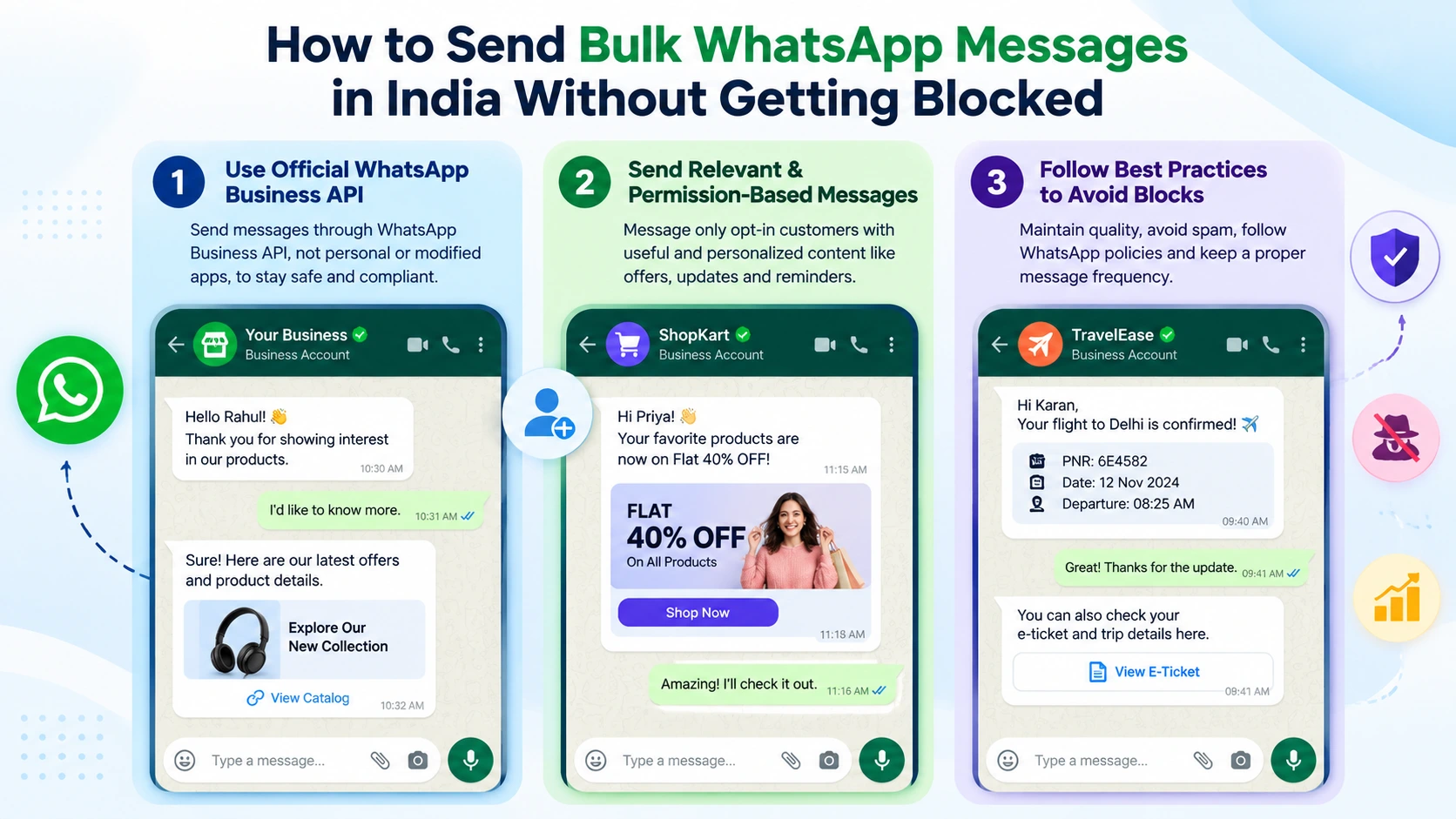
The WhatsApp Business app is built for small teams chatting by hand. Bulk campaigns belong on the WhatsApp Business Platform, which is built for scale, consent and approved templates. Read our guide to the WhatsApp Business app vs the API for the full difference.
Opt-In: The Rule That Protects Your Number
Opt-in is the single most important rule. Meta's WhatsApp Business Messaging Policy says you may contact only people who gave you their number and agreed to receive messages from you.
Displaying your WhatsApp number does not count as opt-in. A safe checkbox reads: "Send me order updates and offers from [Business name] on WhatsApp." Meta is also rolling out a setting that lets users control marketing messages from businesses, including opting out and marking offers as interested or not interested. Treat consent under the DPDP Act the same way: a clear purpose, easy withdrawal, and records you can show.
Templates and Categories: Getting Approved the First Time
To message customers first, you need approved templates. The category you choose decides the rules and how Meta bills you, and a wrong category is a common reason for rejection.
Messaging Limits and Frequency Caps: Why Some Messages Do Not Deliver
Even with perfect consent, two limits can stop a message. They are separate, and neither means your number is in trouble.
Checklist: Send Bulk WhatsApp Campaigns Safely
Run through this list before every campaign. It protects your number, your quality and your customers' trust.
How to Send Your First Bulk WhatsApp Campaign
With the right setup, your first campaign takes a few clear steps. Do them in order.
WhatsApp, SMS and DLT: What Applies to Which Channel
DLT registration is a TRAI requirement for SMS only. WhatsApp follows Meta's template approval and opt-in policies. If you add an SMS fallback for customers who cannot receive WhatsApp, that SMS still needs your DLT entity, sender ID and approved template. See our guide to DLT registration charges in India, and read how the same idea works on RCS in RCS messaging for e-commerce.
What Bulk WhatsApp Campaigns Cost
Meta bills per delivered template message, based on the category and the recipient's country, and marketing templates have their own rate. We do not quote rates here, because Meta revises them and your invoice must match the current rate card. Check Meta's official pricing page before you plan a campaign, and ask any provider for an itemised quote that separates Meta's charges from platform fees and any SMS fallback. Ojiva AI can size one with you on a short demo call.
How Ojiva AI Helps You Send Bulk WhatsApp Messages Safely
Ojiva AI is a Bengaluru (Bangalore) based CPaaS company and Meta Business Partner offering the WhatsApp Business API, Bulk SMS, RCS, AI voice and OTP on one platform. Here is how that maps to the steps above.
Conclusion: Consent, Templates and Patience Protect Your Number
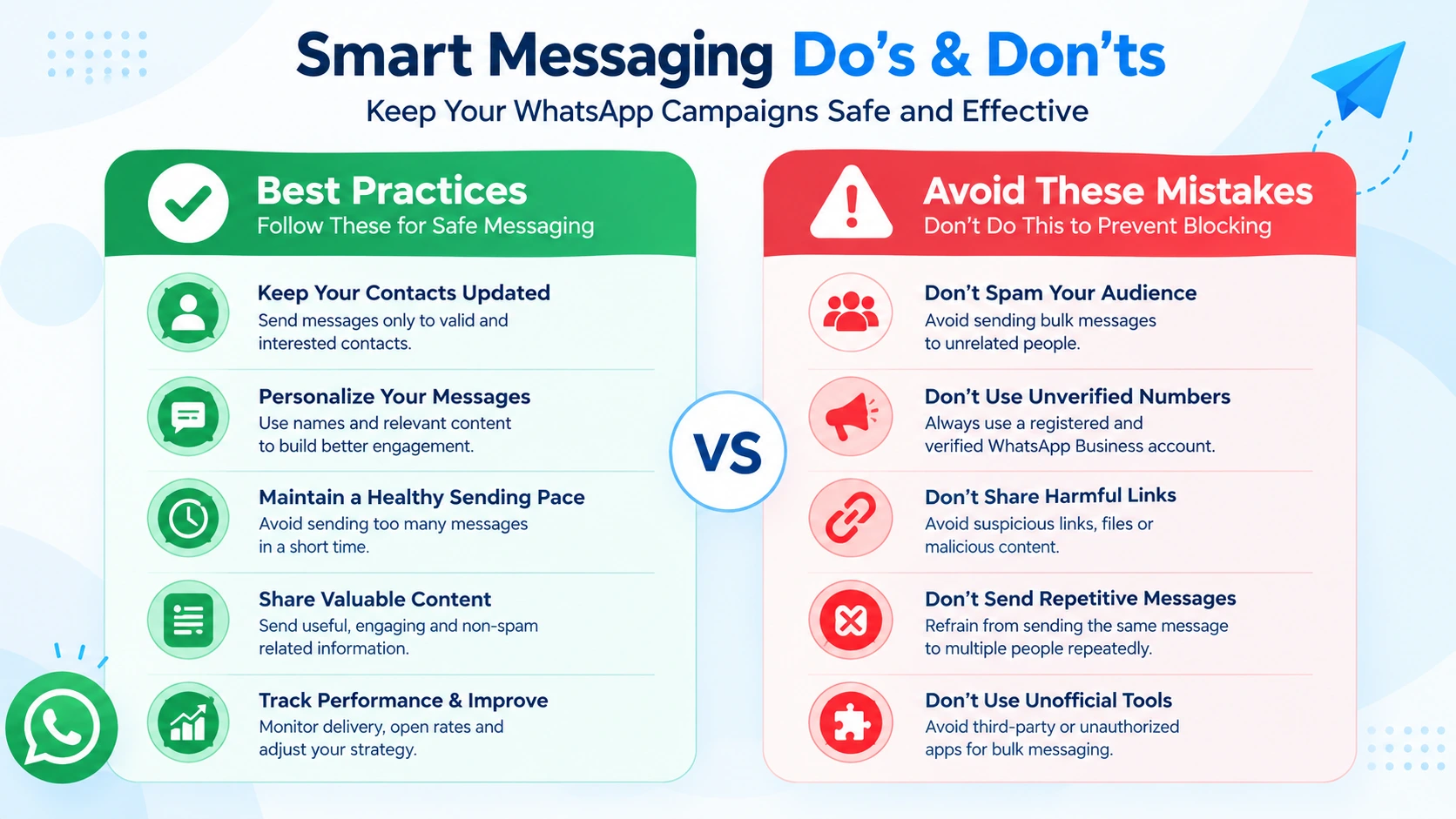
Bulk WhatsApp messaging works when you treat it as permission-based marketing on the official platform: collect clear opt-in, use approved templates in the right category, segment your list, pace your sends and honour every opt-out. Skip the shortcuts, because the cost of a banned number is far higher than the time saved.
To see how this works for your own list, book a free demo with Ojiva AI and we will map your consent flow, templates and fallback together. You can also explore our WhatsApp Business API and Bulk SMS services. Follow these rules and you can send bulk WhatsApp messages in India at scale, without losing the number your customers trust. Conversations that convert start with messages people agreed to receive.
Frequently Asked Questions
Not safely. WhatsApp's own FAQ says its products are not intended for bulk or automated messaging, and that doing so violates its Terms of Service. Using unofficial tools, browser extensions or modified apps for this can get your number restricted or banned. For bulk sending, use the WhatsApp Business Platform through a provider.
The usual causes are using the apps or unofficial tools for bulk or automated sending, messaging people who never opted in, and sending messages recipients block or report. WhatsApp and Meta monitor how recipients react, and templates or numbers with poor feedback can be paused, restricted or disabled.
Use the WhatsApp Business API through a provider, collect clear opt-in before the first message, send only approved templates in the right category, segment your audience, keep a visible opt-out, and start with small batches while you watch delivery and block signals. Keep SMS as a fallback for customers who cannot receive WhatsApp.
Yes. Meta's WhatsApp Business Messaging Policy says you may contact only people who gave you their number and agreed to receive messages from you. The opt-in should name your business and the types of messages, be collected before you send, and tell people they can opt out. Displaying your own WhatsApp number does not count as opt-in.
Sending through the official WhatsApp Business Platform to customers who consented is permitted by WhatsApp's policy. You must still follow Indian law, including the DPDP Act's principles of clear consent, a stated purpose and easy withdrawal. This is practical guidance rather than legal advice, so check your obligations with a qualified professional.
No. DLT registration under TRAI's rules applies to SMS. WhatsApp messages follow Meta's template approval and opt-in policies instead. If you add an SMS fallback, that SMS channel still needs your DLT entity, sender ID and approved template.
Two limits can apply. Your messaging limit caps how many unique users you can start conversations with in a rolling 24 hours. Separately, Meta can limit how many marketing templates one person receives from all businesses combined, and Meta advises waiting at least 24 hours before retrying that user. Neither means your number is unhealthy.
Stop sending, and review how you collected opt-in, which templates you used and whether any unofficial tool touched the number. Fix the cause before you resume, and follow the appeal steps shown in your WhatsApp or Meta account. Ask your provider to check your quality signals, and avoid retrying the same campaign immediately.