How to Run an RCS Campaign: Rich Cards, Carousels and Templates That Convert
How to run an RCS campaign in India: plan your audience, design rich cards and carousels, add buttons and SMS fallback, and measure results. Book a free demo.
How to Run an RCS Campaign: Rich Cards, Carousels and Templates That Convert
To run an RCS campaign, plan one goal and one opted-in audience, choose the right format (a rich card or a carousel), write short copy with a clear button, add an SMS fallback and send a small test before you scale. The format is the easy part. What decides results is the message design, the audience and the rules you follow.
This guide shows how to plan, design and send an RCS campaign in India: the message formats, how to design rich cards and carousels, reusable templates, buttons, consent and timing, SMS fallback, and what to measure. Ojiva AI runs RCS Business Messaging alongside Bulk SMS and WhatsApp on one platform. If you want a campaign planned around your own list, book a free demo.
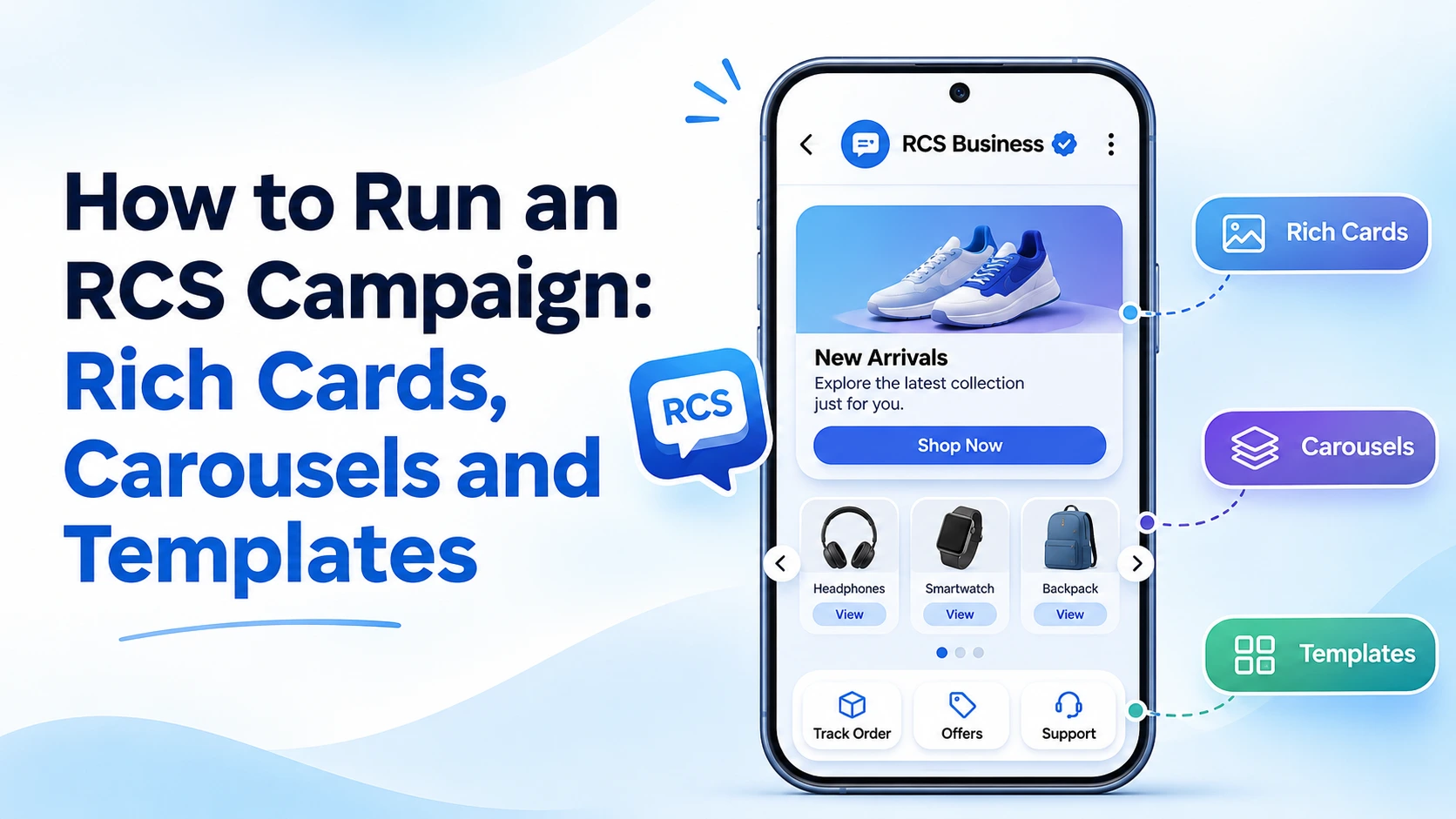
How to Run an RCS Campaign: The Short Answer
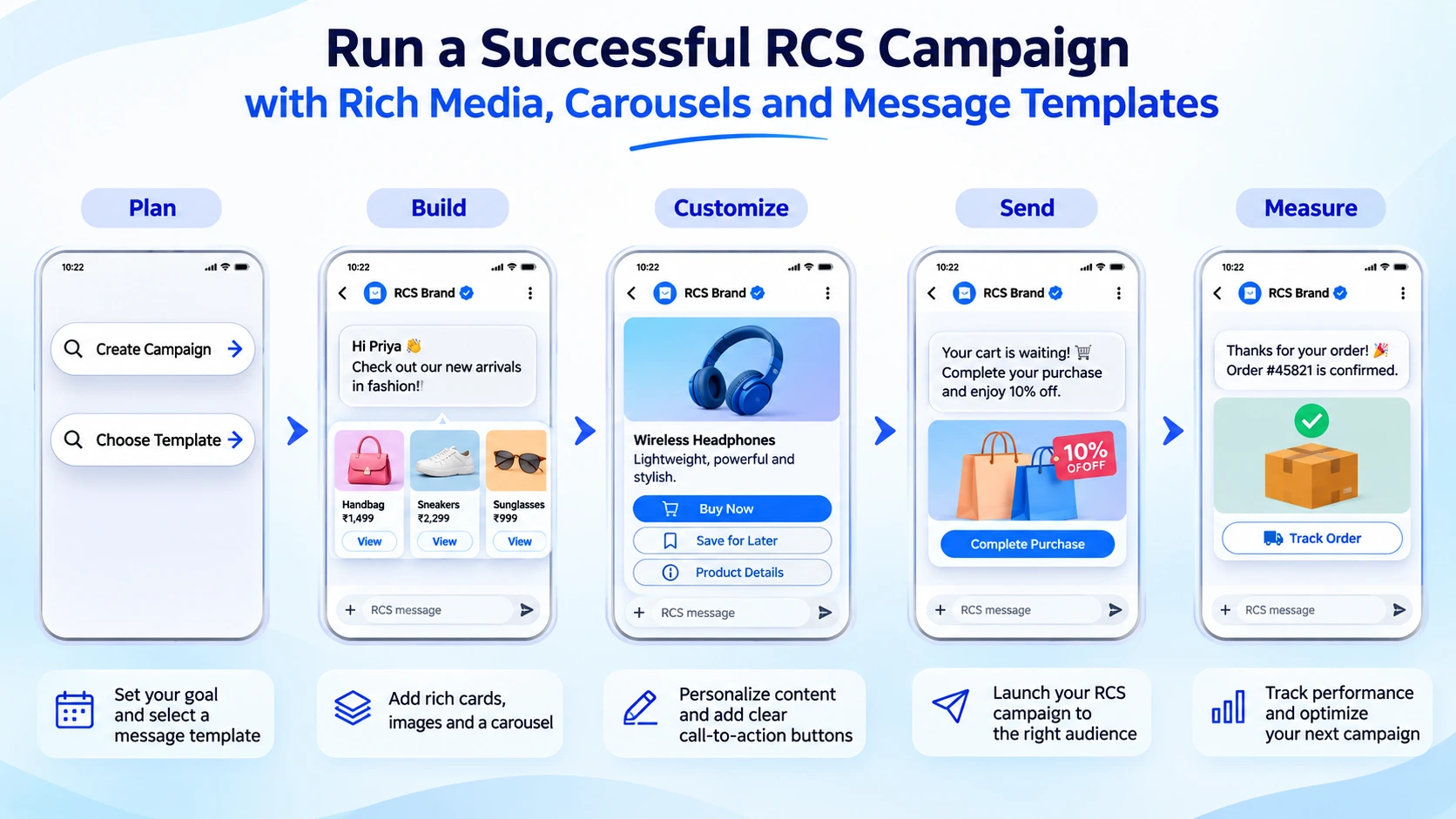
A good RCS campaign follows the same simple path every time. Here it is in one view.
Want a campaign plan built for your list? Talk to Ojiva AI about RCS messaging or book a free demo.
RCS Message Formats: Text, Rich Card and Carousel
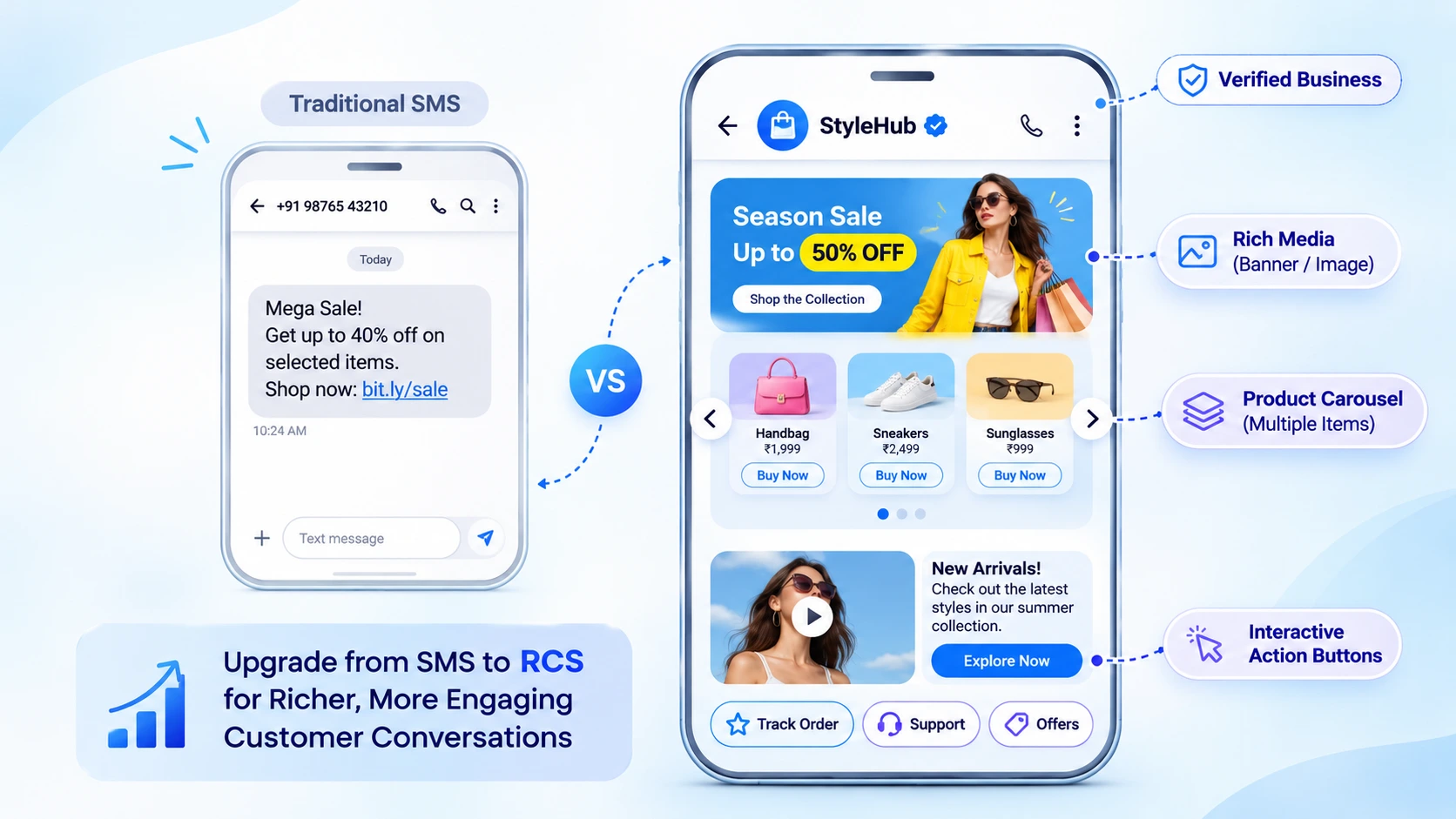
RCS Business Messaging goes beyond plain text. A single message can combine text, an image or video, a rich card, and suggested replies and actions, according to Google's RCS Business Messaging documentation. For campaigns, three formats do most of the work.
Our guide to upgrading bulk SMS to RCS explains what carries over from your SMS setup, and RCS vs SMS compares the two.
Rich Cards: Design That Gets Taps
A rich card works when a customer can understand it in a glance. Lead with the image, say one thing, and give one clear next step.
Carousels: Showing Several Options at Once
A carousel lets customers browse without leaving the inbox. It works best when the cards are alike in structure, so swiping feels natural.
RCS Templates: Reusable Layouts for Every Campaign
Here, a template means a reusable message layout that you fill with new content for each campaign. It saves design time and keeps your messages consistent. Some providers also review campaign content before sending, so ask yours what approvals apply. These are structures to adapt, not text to copy.
How to Run an RCS Campaign: Step by Step
Work through these steps in order. Each one reduces risk before the next.
Audience, Consent and Timing
An RCS campaign is marketing, so consent and relevance come first. They also protect your sender reputation.
This is practical guidance rather than legal advice, so check your own obligations with a qualified professional.
SMS Fallback and DLT for RCS Campaigns
RCS reach depends on the customer's device, messaging app and network, so keep SMS underneath. Your fallback brings the SMS rules with it.
For an e-commerce view of the same ideas, read RCS messaging for e-commerce and our guide to abandoned cart SMS and order confirmation SMS.
What to Measure and Common Mistakes to Avoid
Read the results after every send, then change one thing at a time. That is how a campaign improves.
RCS Campaign Cost: How to Budget Without Guessing
There is no single public rate card for RCS in India. Prices depend on your provider, the message type and your volumes, and richer messages usually cost more than basic ones. Instead of chasing a headline number, make every quote answer the same questions.
A written, itemised quote based on your own volumes beats any rate card you find online. Ojiva AI can size one with you on a short demo call.
How Ojiva AI Helps You Run RCS Campaigns
Ojiva AI is a Bengaluru (Bangalore) based CPaaS company and Meta Business Partner offering RCS, Bulk SMS, WhatsApp Business API, AI voice and OTP on one platform. Here is how that maps to the steps above.
Conclusion: Plan Small, Design Clearly, Measure Everything
A strong RCS campaign starts with one goal and a consented audience, uses a rich card or carousel with one clear button, keeps SMS underneath for reach, and is tested before it scales. Read your reports, change one thing at a time and get a written quote that separates RCS, fallback and DLT charges.
To plan your first campaign, book a free demo with Ojiva AI and we will map your audience, message formats and fallback flow together. You can also explore our RCS messaging and Bulk SMS services. Follow these steps, and your next RCS campaign will be easier to plan, safer to send and simpler to improve. Conversations that convert start with messages customers want to open.
Frequently Asked Questions
Pick one goal and an opted-in audience, choose a format (a standalone rich card or a carousel), write short copy with a clear button, add an SMS fallback, test on real phones, send to a small group first, then scale. Read your delivery and tap reports after every send and change one thing at a time.
A rich card is a single message that combines media, a title, a description and buttons. According to Google's RCS Business Messaging documentation, each card can carry up to four suggested replies or actions, with button text of up to 25 characters. It suits one offer, one product or one event.
A carousel combines several rich cards into one swipeable message, so customers can browse options without leaving the inbox. Use it for catalogues, collections or comparisons, and keep each card's structure consistent. Rendering depends on the customer's device, so test on a few handsets.
RCS reach depends on the customer's device, messaging app and network. When a phone cannot receive RCS, an SMS fallback delivers a plain-text version instead, so the customer still gets the message. The fallback cannot carry images or buttons, so write it to stand on its own.
Treat RCS campaigns as marketing: collect clear consent, say what customers will receive, give an easy opt-out and honour it quickly. This also supports the principles of the DPDP Act. This is practical guidance rather than legal advice, so check your own obligations with a qualified professional.
Your SMS fallback does, because SMS in India needs your DLT entity, sender ID and approved template. RCS also needs a separate verified sender. Guides differ on whether RCS content needs its own DLT step, so ask your provider which approvals apply to your account before you set a launch date.
There is no single public rate card. Pricing depends on your provider, the message type and your volumes, and richer messages usually cost more than basic ones. Ask for a written quote that separates RCS messages, SMS fallback and any DLT or service charges, so you can compare offers on equal terms.
Track delivery, button taps, replies, conversions and opt-outs, and note how many messages fell back to SMS. Compare a message variant against a control group, and change one element at a time, such as the image or the button text, so you know what drove the result.